Built for private pilots who want more than a gut check. FlightDecide pulls together weather, performance, fuel, and weight data into one scored verdict, so you can launch informed or stay on the ground for the right reasons.
Route Weather, Window-Aware
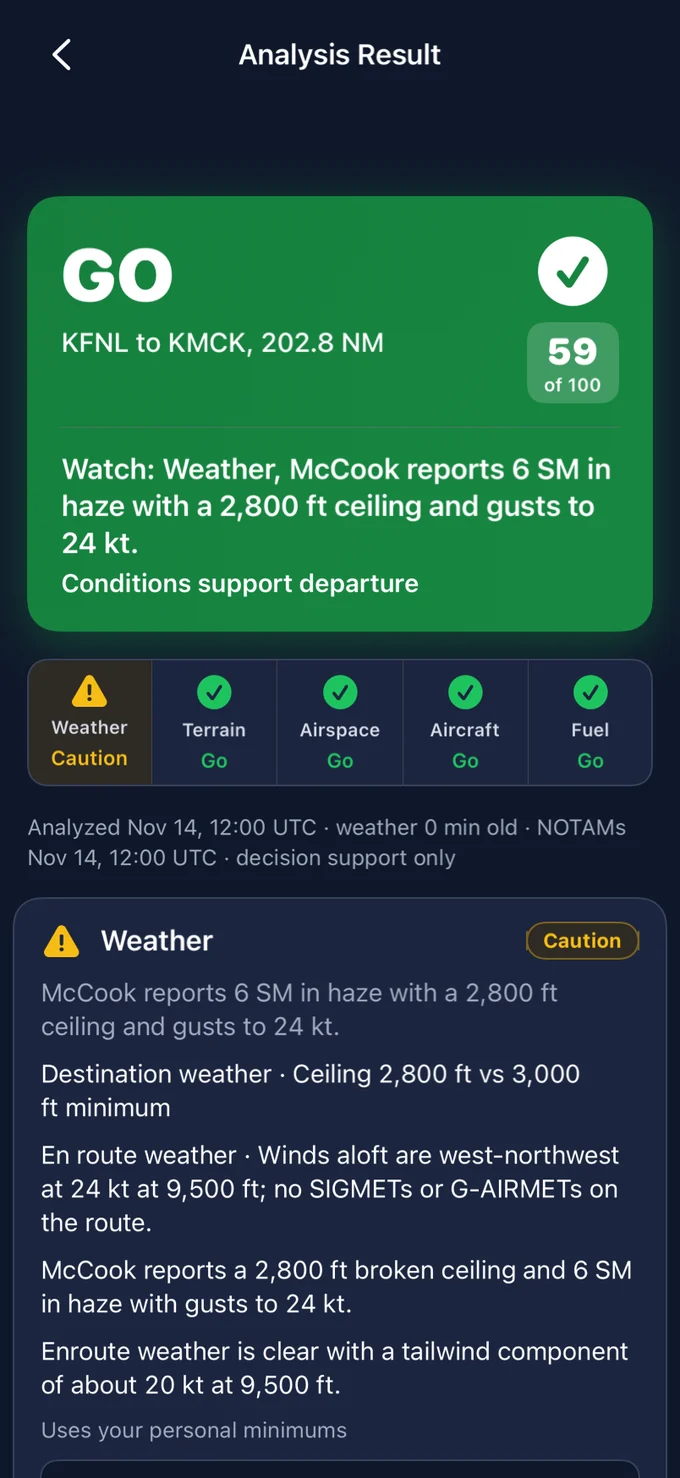
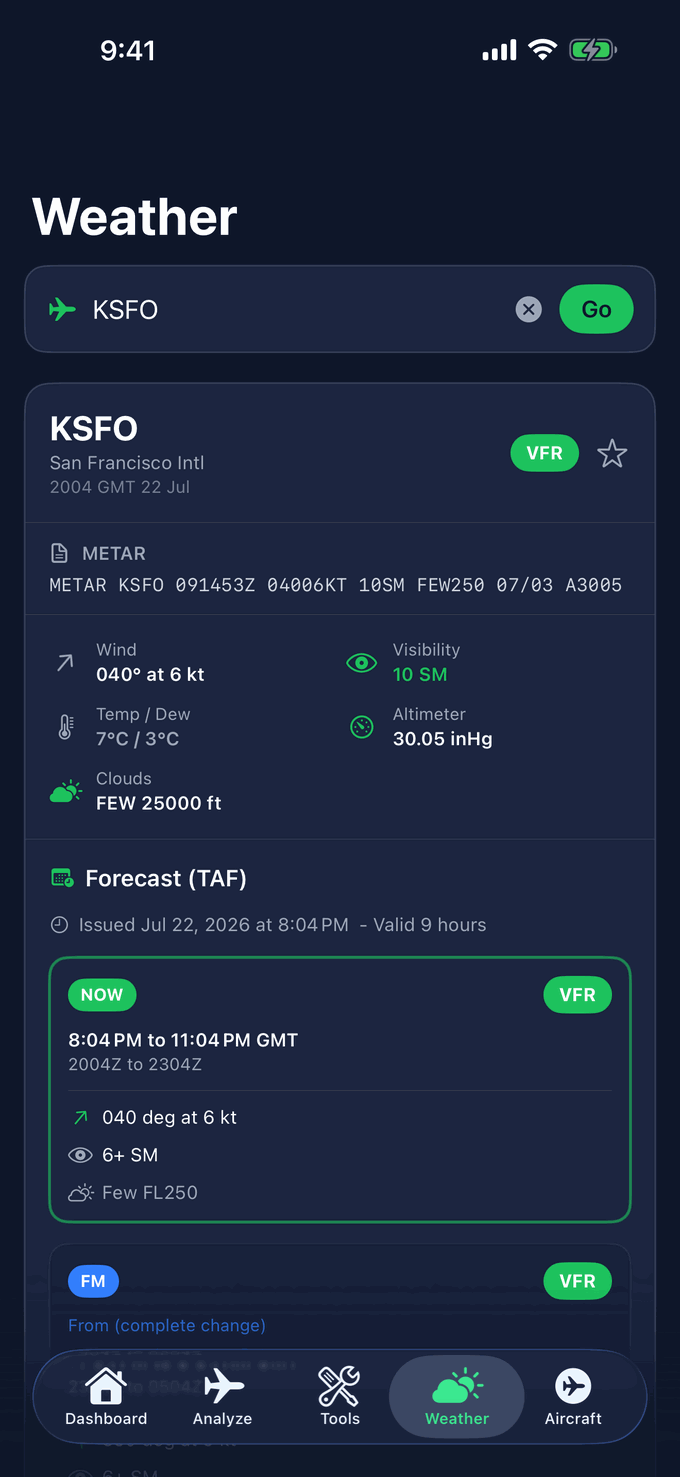
Departure, destination, and up to four enroute TAF checkpoints along your route. Each forecast is interpreted for your planned takeoff and arrival window: VFR, MVFR, IFR, or LIFR, with severe-weather flags called out. Times are shown in plain UTC, and the raw TAF is one tap away.
Enroute Picture in One Place
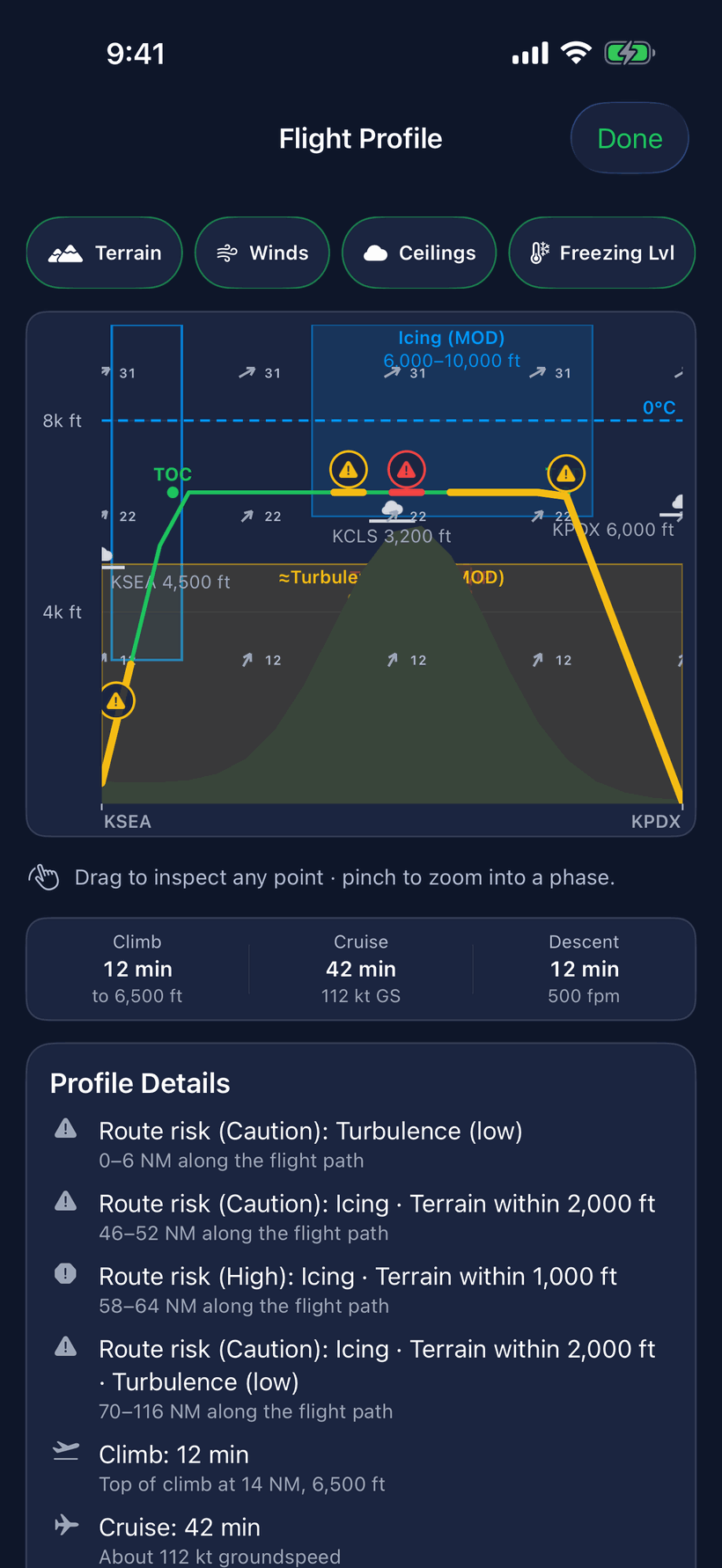
Winds aloft, freezing levels, G-AIRMETs, SIGMETs, and PIREPs along your route. When coverage is missing for part of your route, FlightDecide tells you so. You never see a silent "all clear" that came from no data.
One Fuel Plan, Fully Worked
Climb, cruise, and descent fuel computed from your aircraft's POH data, then legal reserve added on top. You see fuel on board, fuel required, reserve minutes available, and whether you meet the rule for your operation. VFR or IFR reserve rules under Part 91.
Performance and Weight & Balance
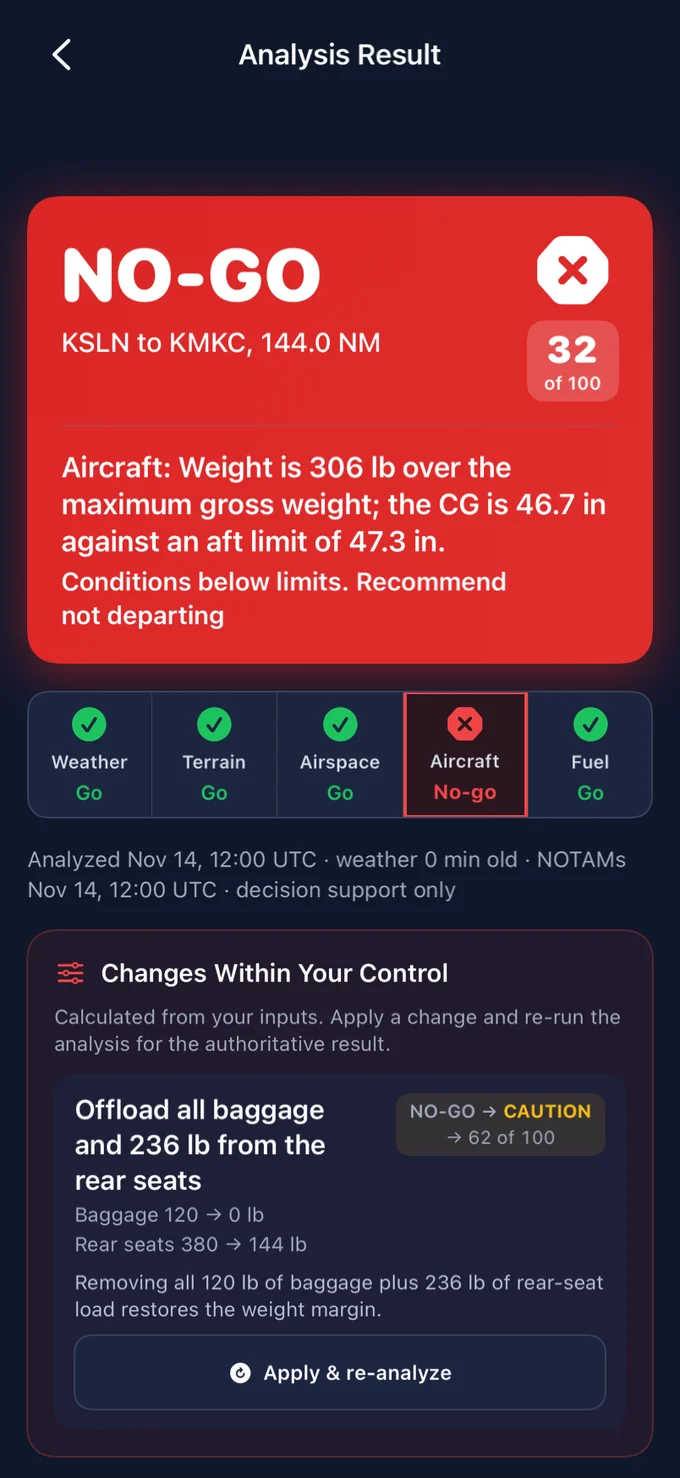
Takeoff and landing distances with margin against the available runway. Every weight and balance station is listed, and the total is checked against max gross. Your takeoff and landing CG are plotted on your aircraft's own envelope. Adjust passengers, bags, and fuel and watch the numbers move before you load the airplane.
TFRs and NOTAMs for Your Window
Tap the Airspace card for the map, every TFR with its floor, ceiling, and distance from your route, and every NOTAM in full. Each NOTAM also gets a plain-English summary and a window-impact line: in effect during your flight, starts after you land, or ended before takeoff. When NOTAM coverage is incomplete, the gap is called out instead of hidden.
Your Aircraft, Your Minimums
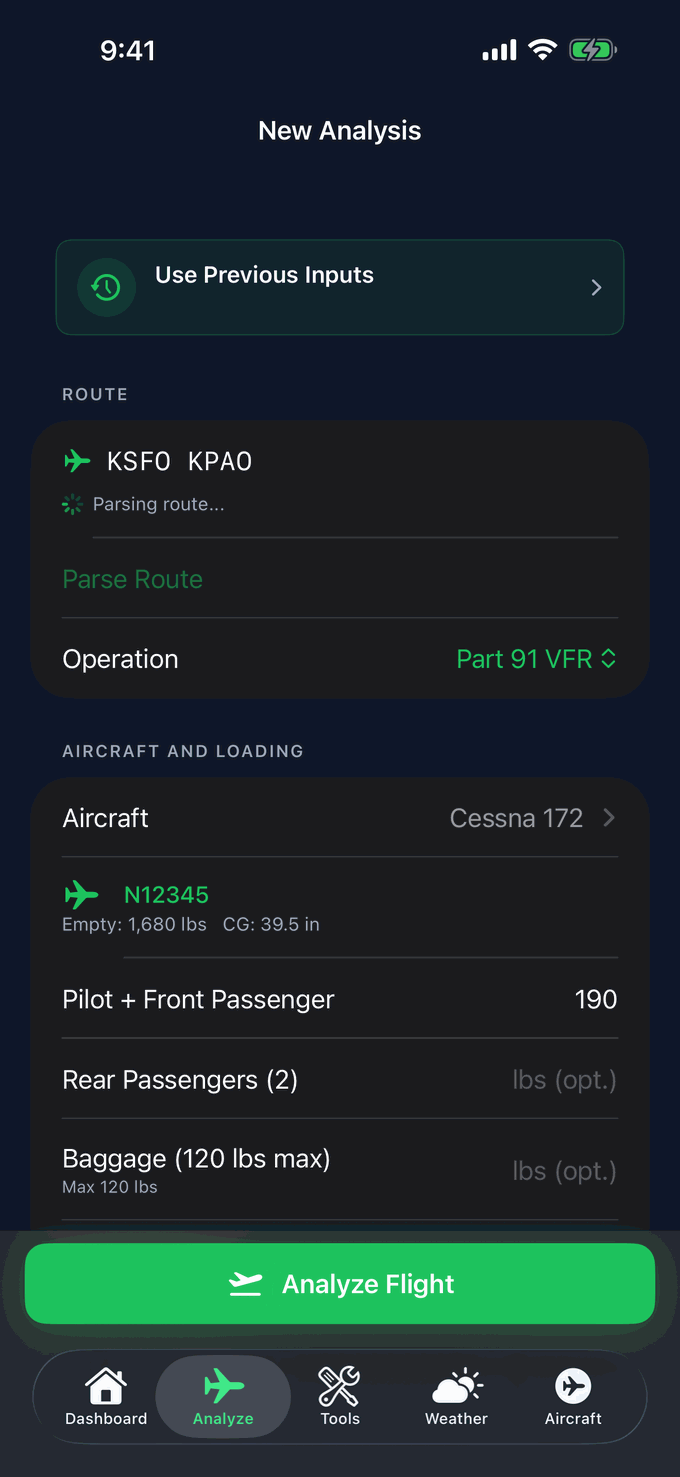
Build a profile around the aircraft you actually fly and the personal weather and fuel minimums you actually hold to. Every analysis is computed against your weights, arms, fuel arm, runway preferences, and weather floors. Not someone else's defaults.
Corrective Actions and Path to GO
Every analysis lists ranked Required and Recommended steps with specific numbers: exact lbs to shift, altitude to request, fuel to add. For CAUTION and NO GO flights, Path to GO highlights the smallest set of changes that would flip the verdict.
Optimal Cruise Altitude
Winds aloft scored at every candidate cruise altitude for winds, icing, turbulence, and ceiling clearance, then constrained to the hemispheric rule for your direction of flight. FlightDecide tells you which altitude gives the best ride and why.
Aviation Tools, Classic and Visual
The Tools tab is a collection of aviation tools in two modes. Classic is a full flight computer: wind triangle and wind correction, heading and groundspeed, density altitude, true airspeed, fuel, timers, conversions, and weight and balance. Visual covers crosswind with a METAR reader, holding entries, descent and glide, and a trip planner. It all works offline. It comes with the Tools plan, first month free, or with Pro. Many of the same calculations run free in your browser at flightdecide.com/tools.